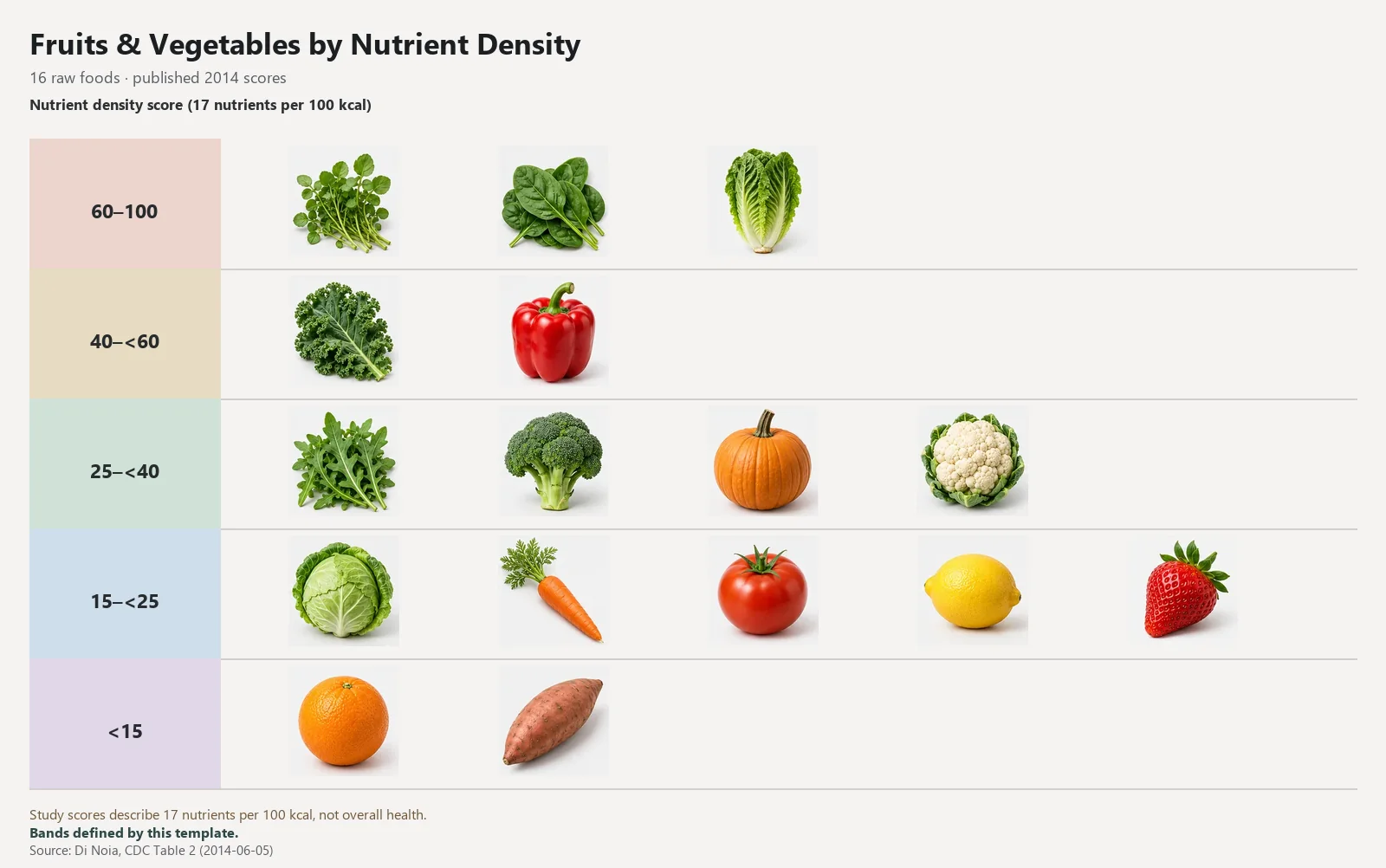
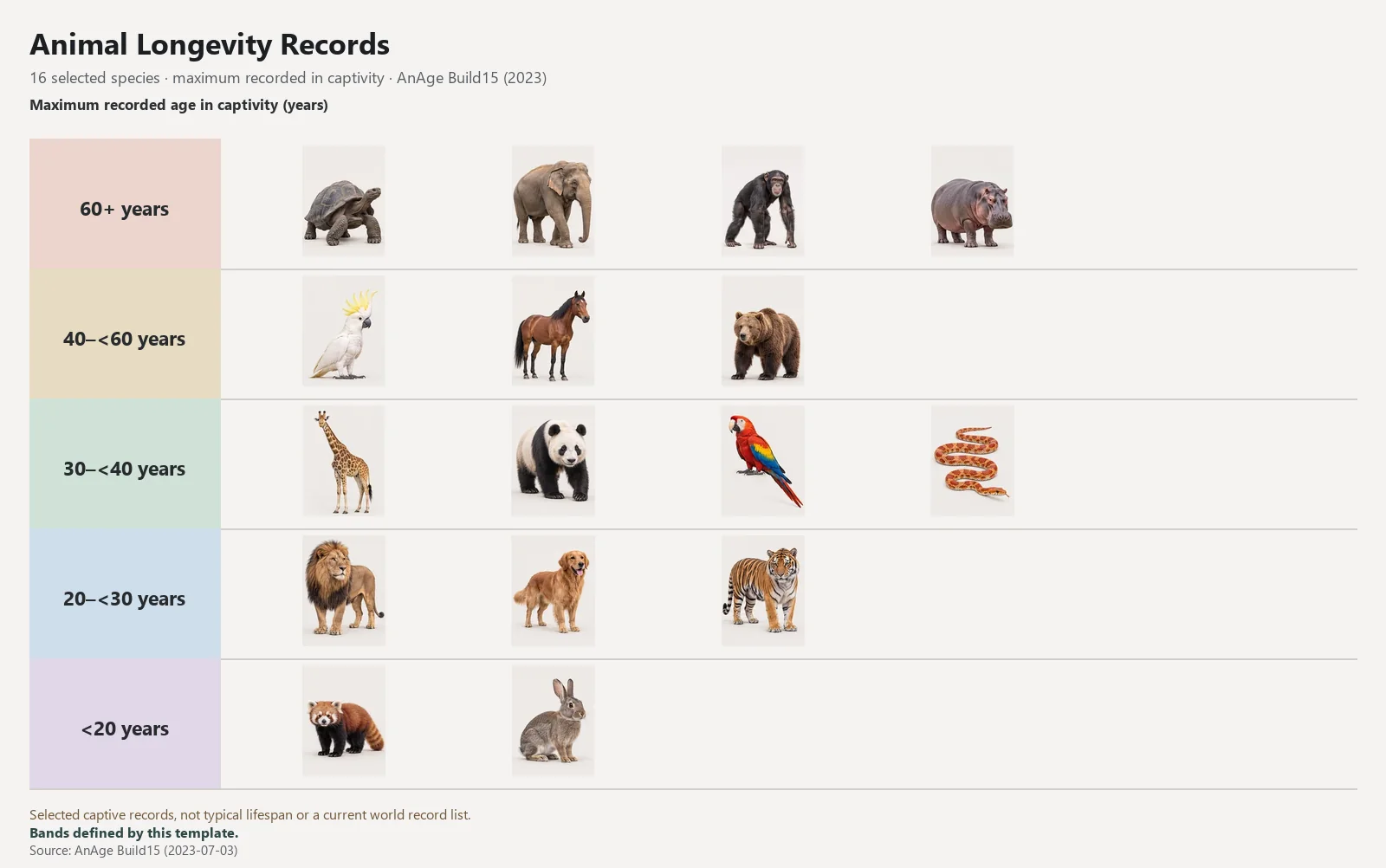
A tier list template is a reusable starting board with a defined topic, a complete item pool and editable tiers. Personal-preference templates start with every item unranked. Source-based examples retain their original sources, data, grouping and tier placement so you can inspect or rearrange them. Both open in the same browser-local maker.
Editable opinion template
Fruit Tier List Template: Rank Your Favorites
Which fruit would you happily eat again tomorrow?
Try taste, texture or convenience as separate rounds. A ripe mango and an unripe mango are different experiences, so say what you are comparing.
Which chain would you pick for your next quick meal?
Choose one meal occasion and one region. Rank familiar chains by taste, value or consistency; leave chains you have not tried unranked instead of guessing.
Personal-preference templates supply a clear topic, a complete item pool and empty tiers. Fruits use 12 original photo-style illustrations; US fast food uses 12 text chain names and no logos. Neither template contains a measured score, public vote or supplied preference order.
The image examples have a different purpose. Produce uses a published nutrient-density study, while animal longevity uses selected recorded captive maxima. Keep each source notice with the example and read what the metric covers. A nutrient-density score is not a complete judgment of health, and a recorded maximum is not a typical lifespan.
Choose the topic page when you want the item list, criterion suggestions and provenance before starting. Use a source example when you specifically want its data. If your task needs different objects, the Ideas page offers more original lists, and the blank maker accepts your own images or text.
Reuse the data without losing your work
Import template sends the supplied item pool, editable tiers and appearance settings into the homepage workbench. Personal-preference imports start unranked; the source-based produce and longevity examples preserve their original source data, grouping and tier placement, which you can rearrange. A non-empty current board is saved as a version before replacement.
After importing, edit the title, rename or add tiers, remove unfamiliar items and add your own. Text sizes, image framing and backgrounds belong to the editable board. You can change the supplied background or restore a plain one without changing the names or the meaning of a source metric.
When a source-based list is changed, describe what you changed rather than passing an edited result off as the original dataset. For a personal list, write a concrete criterion in the title or note. The same model supports both, but a research fact and a personal choice need different explanations.
Save, export and pass the template on
Save your customized board as a reusable template in My Library when you want to repeat the same item set. Reopening your local template creates a fresh unranked board, while a saved version keeps a particular ranking result. Choose between those tasks deliberately instead of duplicating screenshots to preserve editable data.
A public topic page has its own stable link and a downloadable example image. Share the page when another person should start from the same template; export from the maker when you want to show your personal result. Copying the public link never publishes the contents of your browser library.
The maker stores work in this browser when storage is available; it does not provide cross-device cloud sync. Keep a PNG, WebP or JPG for a portable visual result. The save-and-reuse guide explains versions, local templates and the difference between an image file and editable browser data.
Your list, your reasons
Use the included names as a starting point, add what is missing, and leave unfamiliar items unranked. Nothing needs an account.
 TierCanvas